
 after Hard Reset?)
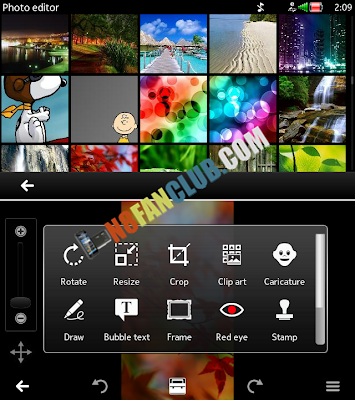
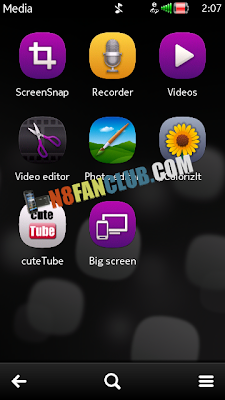
Hard resetting your Nokia Belle smartphone with *#7370# or three button combination usually solves many issues, but it may also remove or damage some important system files. For instance most of the people lose Photo and Video Editors app after performing hard reset. In this case you can either re-install the firmware with Nokia Suite (We had explained it earlier, how to do that). Else you can jailbreak / hack your Nokia Belle smartphone and manually install the Photo & Video Editors app on your smartphone. Note: This method works on Belle Refresh / FP1 and Belle FP2 smartphones.
Steps: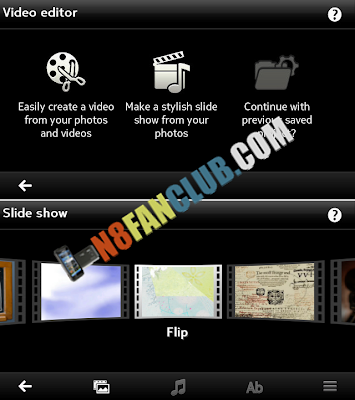
Steps:
- Hack / Jailbreak your Nokia Belle smartphone according to the OS version (Check the OS version by dialling *#0000#)
- Hack for Belle Refresh / Belle FP1 –> Norton Unlock Hack – TM Unlock Hack
- Hack for Belle FP2 –> SafeManager Slow Hack
- Install the files in the following sequence
- a. N8FanClub.com_Photo_and_Video_Editors_Full_Belle_FP2_unsigned.sis (Alt Links: 1, 2, 3)
- b. N8FanClub.com_Photo_Video_Editor_Icons_Belle_FP2_unsigned.zip (Alt Links: 1, 2, 3)
- Restart your Nokia Belle smartphone and you’ll have the Photo and Video editors back on your phone!!
- Note: Installing file B will also enable the following missing shortcuts on your Nokia Belle smartphone’s Menu.
- WiFi
- Connection Manager
- Call Mailbox
- Voice Commands
- Speed Dial
- Sync
- USB
- Themes
- Accessory Setup
My nokia 701 is hacked using SafeManager. When i try to install above photo n video editor it gives an error —“Unable to install component is built in”— .
Can any1 plz help me?
Follow slow hack method or place installserver.exe in c:/sys/bin and enable its patch from rom patcher.
Works perfect for my Nokia N8,thank you N8 FAN CLUB…
You are welcome 🙂
wow works on my x7… thanks alot N8 Fan Club… pls continue what your doing cause nokia has abondoned us…
Glad you find it useful 🙂 Keep visiting us…
when i try to install Photo and Video Editors’ it says requested application not granted’ pls. help ..
Make sure your device is jailbroken to continue with it.
i having a nokia e7 but i don’t want hack it,
have other possybity to install this app in my mobile ???
please help me
Without jailbreaking / hacking its impossible…
my phone is nokia 603 (hacked) While installing it is showing unable to install
component is inbuilt and in folder C the “installserver.exe” Please help me
You need to hack your phone with Belle FP2 Hack.
sir i hacked the phone with safemanager and enable the patch in rompatcher+ but it is not instaling
In that case, please use SIS Contents App on PC and extract this SIS file, it will extract all files and folders. You need to manually copy these files and folders to C:/ Phone Memory. Make sure to apply open4all patch from ROM Patcher before starting to copy the extracted files and folders to C:/ Phone Memory.
sir please suggest me another option without connecting the PC
There’s no other option unfortunately. You will need a PC to extract SIS files.
ok sir how can i get SIS content App in PC and i how can i extract this file
please help me how can i get sis content app in PC and how can i extract it
I can edit photos via editor..but still video editor icon is not showing in the main menu..though photo editor icon is visible…video editor icon isn’t visible
please help…sir
Dude you got some fix for this, because I also face the same issue on my 808, running fp2. please let me know , if you found any.
நன்றி. நன்றி. நன்றி. Thank you very much.
But, lastpage very difficult. Carefully I install.
Thanks n8 fanclub.com.
You are most welcome! 🙂