
 |
| How to re-install firmware on Belle Smart Phone with Nokia Suite? |
There are situations when you are required to re-install the official firmware on your Nokia Symbian Belle Smart Phones. For instance, your device frequently hangs up or you had unintentionally removed Photo and Video editors or you had just hard reset your device with *#7370# or with 3 button combination and some apps just stopped working. In this case you will be required to re-install the firmware of your device with Nokia Suite to bring back the default stuff you had lost by mistake. This is the safest and official way to re-install or update the firmware of your smart phone. Even if you fail to re-install the firmware with this Nokia Suite method or there is no option available for re-installing the firmware, you can always go for unofficial way for re-installing / flashing the firmware with Phoenix. In this post we have discussed in detail both official and non-official ways.
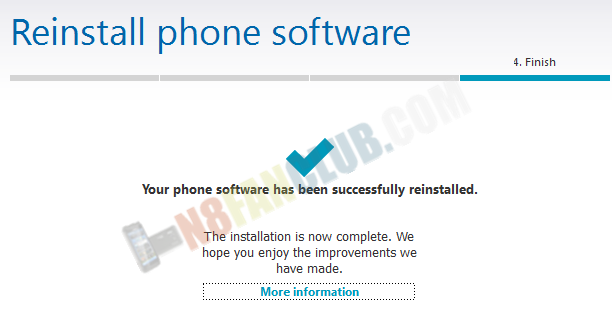
Nokia Suite > Tools > Software Updates > Re-install


 |
| How to flash Belle Phone with Phoenix – Flashing Custom or Official Firmware |
Warning: Follow this guide at your own risk, in case anything goes wrong with your device, N8 Fan Club will not be held responsible. We have tested this process several times and it worked for us 100%. We have created the video tutorial guide, watch the video carefully and follow the simple steps. If you are not familiar with the terms like: Phoenix, NaviFirm, Nokia Suite, Flashing, Dead USB Flashing, this guide isn’t for you! This flashing guide is also applicable for other Symbian Belle / Nokia Belle smart phones, including N8, E7, C7, C6-01, X7, E6, 500, 701, 603, 700 and 808. (If you are going to flash any other smart phone using this tutorial guide, make sure to change the firmware’s RM folder accordingly. RM version can be found on your phone’s back under the battery. For 808 its RM-807, for N8, its RM-596 and for others please locate it yourself)Steps to follow:
- Download and install latest Nokia Suite (skip this step if your PC has already latest version installed)
- Download and install latest Phoenix Service Suite 2012.24.000.48366_latest.exe
- (Make sure to Disable Anti-Virus Application on your Windows based PC to avoid dongle errors)
- You can download the default firmware either with NaviFirm (download the official firmware after looking-up for your device’s product code by dialing *#0000# from the dialer) or you can look-up for your favorite custom firmware for your Belle Smart Phone.
- Place the official or custom firmware files in one of the following paths according to your Windows version.
- For Windows 32bit version: C:\Program Files\Nokia\Phoenix\Products\RM-596\
- For Windows 64bit version: C:\Program Files (x86)\Nokia\Phoenix\Products\RM-596\

- Run the Phoenix on your Windows PC and follow further steps from the video tutorial

i installed Nokia belle on my Nokia c7 recently but my touchscreen immediately stoped working, what do i do?
Try re-installing / flashing the firmware.
sir I hav NOKIA N8-00 n I hav recently applied zenon belle refresh on my mobile….d problem is wen i try to open my gallery..or any other application after few minutes…the display gets black ….n wen i try to close d app by d help of task manager …d phone gets hanged….help mi sir…!!!…
Please backup your data, hard reset by dialing *#7370# and reflash the Xeon custom ROM on your Nokia N8.
Hi. I have download official firmware with help of Nokia Data Package Manager and while trying to flash it with phoneix it stopes and it says this, after doing that and starting again still appears the same!! can you help me Please??
Admin can you please help me with this!!!?
can get my map apps with the flash. lost my app after you tube hack method.
How to enable USB debugging in Nokia 808 Pureview mobile ?
Got new 808PV. Don’t want to unbox it now. Microsoft says “Software update service for all the Nokia Belle and Symbian phones will be discontinued at the end of December 2015.” Do I have to unbox & update it before that date. Thanks!
Doesn’t matter. You can get the latest custom firmware for Nokia 808 PureView right here: Mohican CFW for Nokia 808 PureView
Will it have the latest software release as per for Nokia 808 (113.010.1506/113.010.1507) also? Or is this something else?
Its based on firmware version 113.010.1508 for Nokia 808 PureView.
Thanks. You made my day!
You’re welcome anytime.
I have a Nokia 701 running on Belle FP2. I had to do a 3-button-reset due to System Error and malfunctions, now it’s working fine but all new widgets and Nokia apps like Nokia Maps are gone.
Will flashing an official ROM restore everything to normal? Or should I try something else?
In the past whenever I reset the phone, I could get everything from the Software Update app, but it doesn’t work anymore as Microsoft stopped all updates on December 31st 2015. What should I do?
Search for Belle Fp2 widgets on our site. You will find all sis files inside the download package.
Hi, does anyone know how to make my n8 recognise my simcard as it won’t change from offline to online or recognise my simcard which works in my old nokia 6131 but not in my N8!! the simcard reader is at fault. is there a Fix??